
 China · Free to start. Install it before you land.
A VPN for China that keeps connecting.
The Great Firewall recognises VPN traffic and throttles or drops it, which is why the app that works at home goes quiet in Shanghai or Shenzhen. Stealth VPN hides inside ordinary HTTPS traffic, so there is nothing obvious to block. Keep Google, Gmail, WhatsApp, Instagram, YouTube and your work tools working, for a trip or for living there.
The iPhone and iPad app is coming soon. Meanwhile, StealthLink runs on Windows, macOS, Linux and Android.
For Windows, macOS, Linux and Android. All downloads. Chinese version: 中文.
ChinaTo the firewall it looks like a normal website visit: TLS on 443 with a valid public certificate.
- Standard TLS handshake, nothing to fingerprint
- Probes see a web server, not a VPN
- UDP first, automatic TCP fallback on mobile data
- DNS stays inside the tunnel, IPv6 can't leak
Works with
GoogleGmailGoogle MapsWhatsAppInstagramFacebookYouTubeNetflixXSlackZoomDropboxChatGPTNews sitesWhy most VPNs stop working in China
The Great Firewall is not a simple blocklist. It inspects traffic, learns what VPNs look like, and quietly throttles anything that matches.
Protocols are fingerprinted
OpenVPN, WireGuard, IKEv2, L2TP and Shadowsocks have recognisable patterns. Deep packet inspection and machine-learning classifiers flag them, and the connection slows to a crawl or drops, usually with no error shown.
Servers are probed and blacklisted
When a suspicious server is spotted, the firewall connects to it itself to check what is listening. Servers that answer like a VPN are blacklisted, sometimes along with the whole IP range around them.
VPN sites and app stores are blocked
Most VPN websites, Google Play and many download mirrors are unreachable from inside China. If you don't install before you arrive, you may not be able to install at all.
Blocking peaks on sensitive dates
Around political meetings, anniversaries and national holidays, international traffic is throttled harder and VPNs that usually work go dark for days.
Ordinary VPN vs. Stealth VPN in China
The difference is not the encryption, which is strong in both. It is whether the Great Firewall can tell you are using a VPN at all.
| Ordinary VPN | Stealth VPN | |
|---|---|---|
| What the firewall sees | A recognisable VPN protocol | An HTTPS connection to a website |
| Port | VPN ports like 1194, 51820 or 500 | 443, the same as every secure site |
| Active probing | Server answers like a VPN and gets blacklisted | Server answers like a web server |
| When UDP is throttled | Stalls or drops | Switches to TCP on its own |
| Around sensitive dates | Whole server ranges get cut | Nothing specific to block; pick another location if one is slow |
| Nearest locations | Varies | Tokyo and Singapore, low latency from the mainland |
How Stealth VPN stays connected
We designed Stealth VPN for exactly this kind of network. It doesn't look like a VPN, so it isn't treated like one.
It looks like ordinary HTTPS
Your connection goes to port 443, the same port every secure website uses, with a standard TLS handshake and a valid certificate from a public authority. A probe that connects to the server sees a normal web server, not a VPN.
Two ways in, chosen automatically
The app first tries a fast UDP path. If the network throttles UDP, which China does on most international links, it switches to TCP on its own. You don't have to change any settings.
Locations close to China
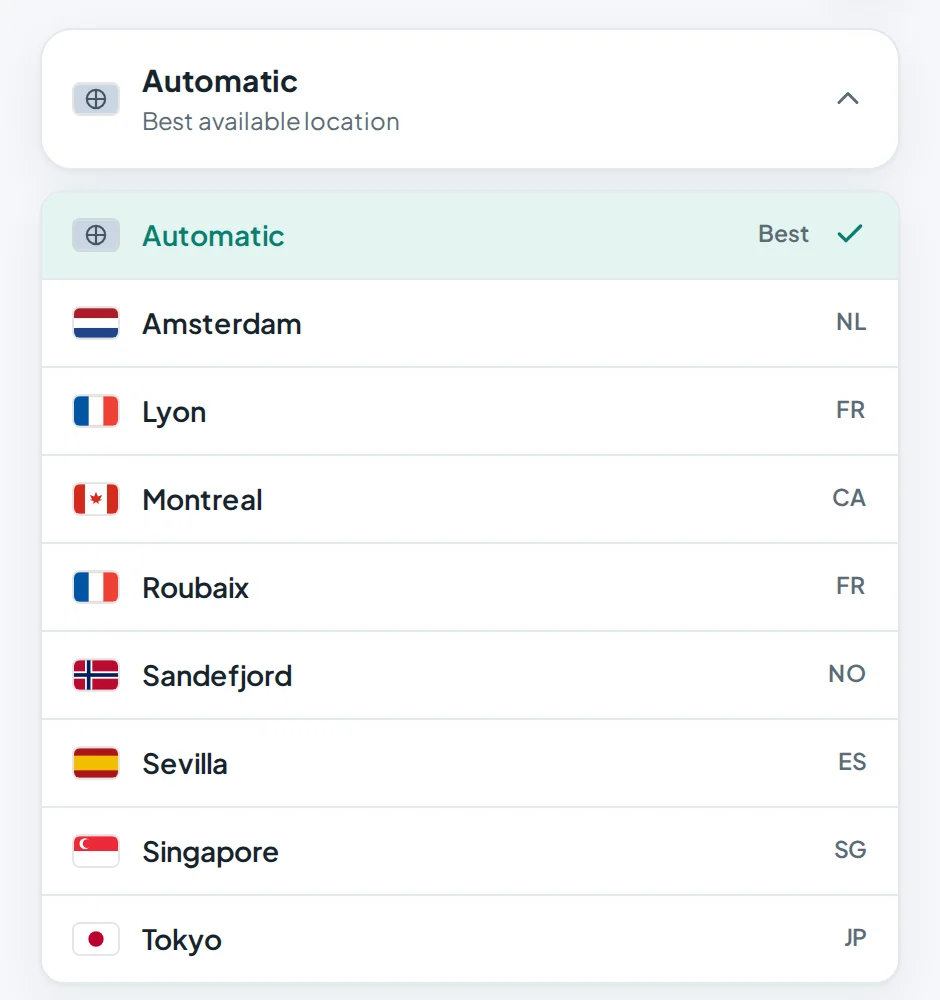
Tokyo and Singapore give the lowest latency from mainland China, with Amsterdam, Lyon, Roubaix, Montreal, Sandefjord and Sevilla for the rest of the world. Leave the app on Automatic and it picks the fastest one that answers.
No leaks around the tunnel
Everything on the device goes through the tunnel, including DNS lookups, so poisoned DNS answers can't reach you. IPv6 is blocked inside the app so it can't slip past the tunnel.
Start in about a minute
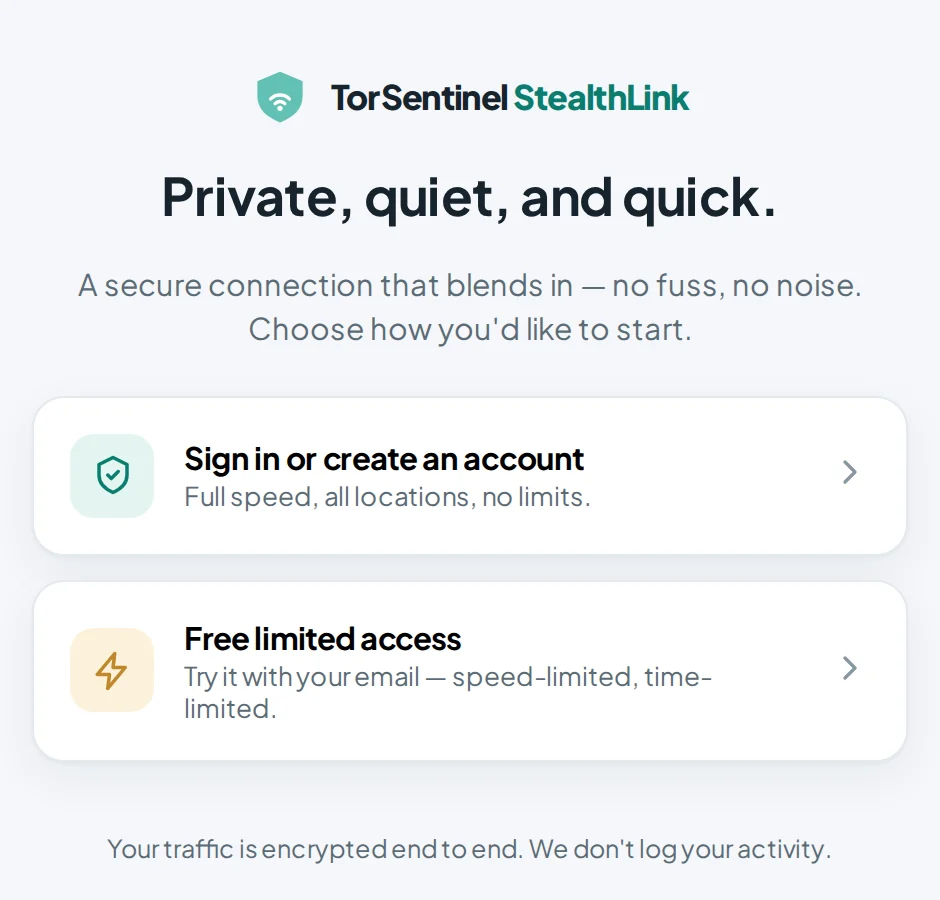
No sign-up form and no card. Free access needs only an email address for the code.
Install StealthLink before you travel
Download the app for your device below and install it while you still have an open connection. Already in China? Try the links anyway, or ask someone abroad to send you the installer.
Choose free access
Open the app, enter your email, and type the 6-digit code we send you. Email generally gets through even when websites don't.
Connect
Leave the location on Automatic, or pick Tokyo or Singapore for the shortest path. If one stops answering, switch to another.
The iPhone and iPad app is coming soon. Meanwhile, StealthLink runs on Windows, macOS, Linux and Android.
Before you rely on it in China
Set it up at home first
Install, sign in and connect once before you fly. Then the app is already working when you land, and you don't depend on reaching our site from inside China.
Expect slow days
No service can promise to work on every network every day. Around sensitive dates, every VPN in China gets slower. Keep a second method as a backup and tell us when a location stops working so we can fix it.
Mobile data and hotel Wi-Fi behave differently
China Mobile, China Unicom and China Telecom throttle UDP more than most hotel networks do. If Automatic is slow on mobile data, try Tokyo or Singapore directly.
Check for leaks
After connecting, open our IP leak test and DNS leak test. Both should show the VPN location, never your Chinese ISP.
Unapproved VPN use is restricted in China. We provide the technology and can't promise it works on every network or every day. Please follow the laws that apply to you, and keep a backup for anything that matters.
Free access, or full access
Free access is for trying Stealth VPN and for light use. Full access removes every limit.
| Free | Full access | |
|---|---|---|
| Price | $0 | $7.99 a month, or $71.88 a year |
| Speed | Up to 5 Mbps | Unlimited |
| Session length | 30 minutes, then reconnect | No limit |
| Daily use | Up to 2 hours a day | No limit |
| Devices at once | 1 | Up to 5 |
| What you need | An email address | A TorSentinel account |
7-day money-back guarantee on card payments. Cryptocurrency is accepted too, but can't be refunded.
Questions people ask about China
Does Stealth VPN work in China right now?
It is designed for networks that detect and block VPNs, and that is where our users rely on it. The firewall changes, though, and around sensitive dates every VPN slows down. That is why free access exists: test it on your own connection before you pay, and install it before you travel.
Is it legal to use a VPN in China?
China restricts unapproved VPNs, and enforcement has mainly targeted people selling VPN services rather than foreign visitors and residents using one. We can't give legal advice. You are responsible for following the laws that apply where you are.
Does it work on China Mobile, China Unicom and China Telecom?
Mobile operators throttle UDP heavily. StealthLink notices this and falls back to TCP on port 443, the same path your browser uses for any secure website. Tokyo and Singapore are usually the fastest choices from mainland China.
Which apps will I be able to use?
Once connected, your whole device goes through the tunnel, so Google, Gmail, Maps, WhatsApp, Instagram, Facebook, YouTube, Netflix, Slack, Zoom and the rest work as they do outside China. Chinese services such as WeChat and Alipay keep working too.
Do you keep logs?
No. We don't record the sites you visit or the content of your traffic. We keep only what is needed to enforce plan limits, such as how many devices are connected. Our no-logs policy lists exactly what is and isn't kept.
Do you have servers inside China or Hong Kong?
No. Servers inside mainland China would be subject to local monitoring, which defeats the point. Tokyo and Singapore are our nearest locations.
How do I pay from China?
International Visa and Mastercard, or cryptocurrency. Each paid plan gets its own VPN username and password, shown in your dashboard and emailed to you.
What if it stops connecting?
Try Tokyo or Singapore first, then another location. If nothing connects, open a ticket and tell us your city, your ISP or mobile operator and whether you are on Wi-Fi or mobile data. A real person replies, and reports from China help us keep the service working there.
Install it now, before you need it.
Free access takes a minute to set up. If it connects, you're ready for China.
The iPhone and iPad app is coming soon. Meanwhile, StealthLink runs on Windows, macOS, Linux and Android.