
1) Monitor vs Armor
Monitor (this guide)
- Realtime watch for announce IP leaks.
- Safelist home/VPN/seedbox IPs or third-party SOCKS5 domains/IPs.
- Email/Telegram alerts & optional webhooks.
Armor
- Includes Monitor + TorSentinel SOCKS5 proxy.
- Transmission has no native SOCKS5 settings — use VPN/container wrappers or switch to a SOCKS5-capable client.
2) Add your location to Safelist
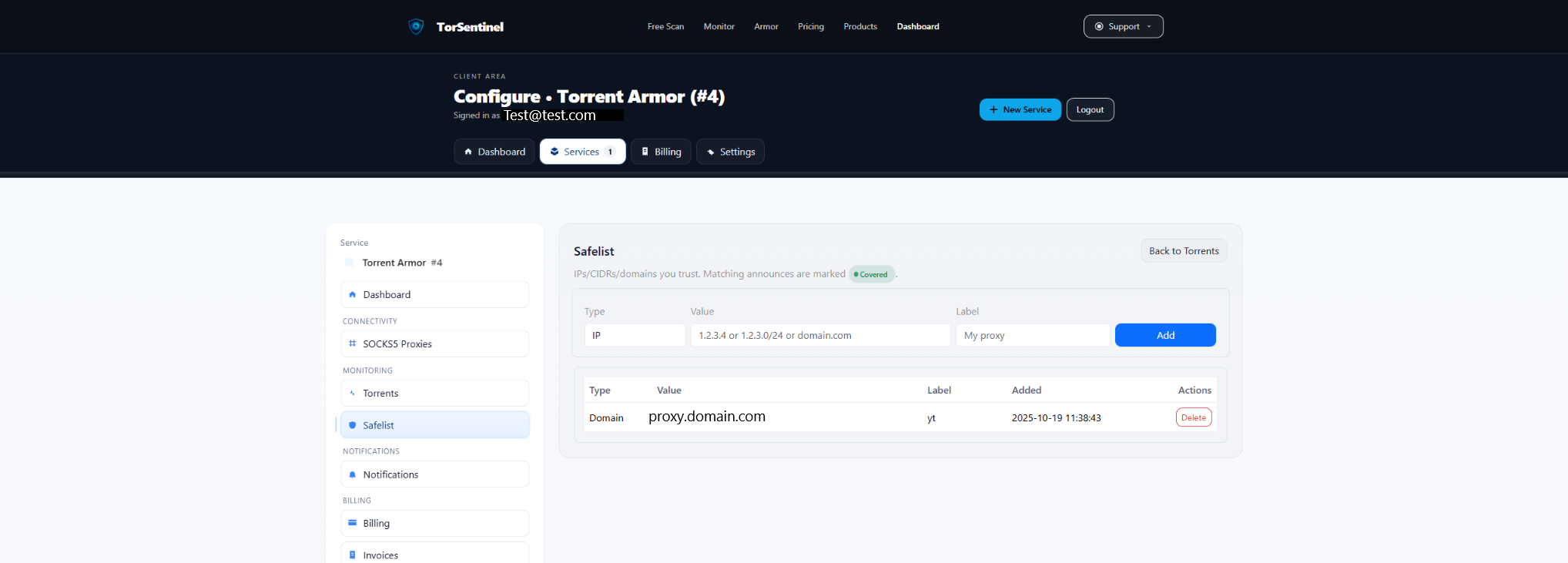
Type: IP or Domain
Value: 203.0.113.42 (VPN egress)
or seedbox.example.com (seedbox)
or proxy.yourprovider.tld (3P SOCKS5 domain)
Label: My VPN / Seedbox / SOCKS5Rotating IPs? Safelist a /24 (e.g., 203.0.113.0/24) or the proxy domain if it fronts a pool.
3) Choose your egress
Option A — VPN or seedbox (recommended)
- Desktop/daemon: bind Transmission to the VPN interface/IP.
- Docker: run Transmission behind a VPN container (e.g., gluetun / transmission-openvpn).
- Add the VPN/seedbox egress IP (or /24) to Safelist.
Option B — Third-party SOCKS5 via wrapper
- Transmission has no native SOCKS5 UI. You may wrap the process (e.g.,
torsocks/tsocks) or place HTTP/SOCKS forwarders in front of it. - Limits: wrappers are TCP-oriented; UDP (DHT/UDP trackers/UTP) won’t be proxied. For privacy compliance, disable DHT/PEX/UDP trackers.
- Safelist the proxy’s domain/IP.
Sample docker-compose (Transmission behind VPN)
services:
gluetun:
image: qmcgaw/gluetun
cap_add: [NET_ADMIN]
environment:
- VPN_SERVICE_PROVIDER=custom
- OPENVPN_USER=<user>
- OPENVPN_PASSWORD=<pass>
- OPENVPN_CONFIG=<your .ovpn file>
ports:
- "9091:9091" # Transmission Web
- "51413:51413" # TCP
- "51413:51413/udp"
transmission:
image: lscr.io/linuxserver/transmission:latest
network_mode: "service:gluetun"
depends_on: [gluetun]
environment:
- PUID=1000
- PGID=1000
- TZ=UTC
- USER=<ui-user>
- PASS=<ui-pass>Expose only through the VPN namespace. Add your VPN egress (or /24) to Safelist.
4) Transmission announce checks
1
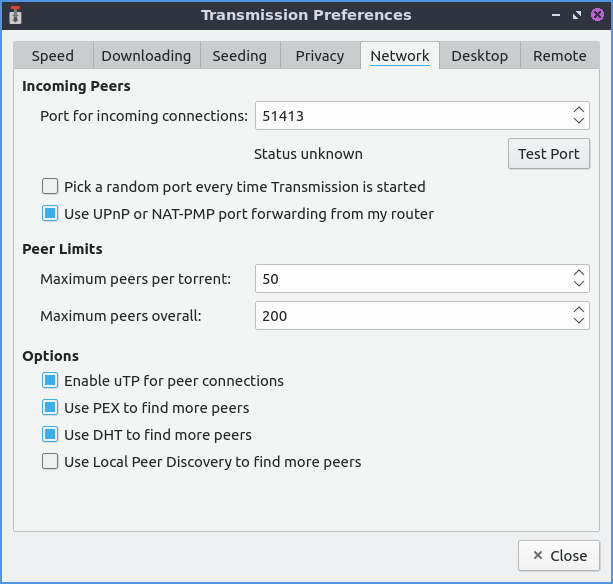
Open Preferences → Network. If on VPN, bind the listening interface/IP to the VPN adapter.
2
Under Privacy, disable features that leak outside a TCP wrapper: DHT, PEX, and UTP if using a SOCKS wrapper.
3
Ensure your Safelist includes the VPN/seedbox egress or the third-party SOCKS5 domain/IP.
5) Start the Test Torrent
Open Services → Torrents in your dashboard and add the Test Torrent magnet in Transmission. Wait ~1–3 minutes for an announce.
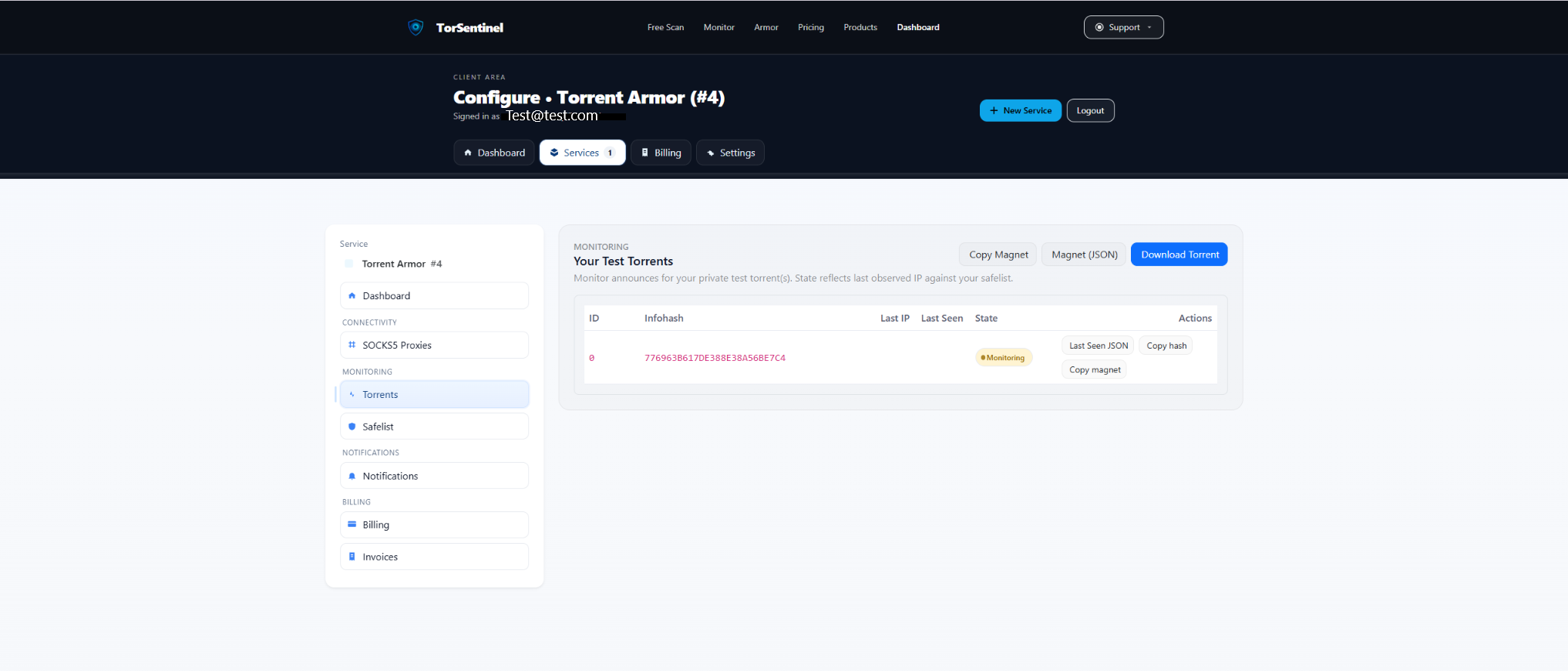
- Copy the magnet and add it in Transmission.
- Wait an announce cycle.
- Confirm Last Seen updates and status is Monitoring.
No content downloads. It’s metadata-only to validate announce routing.
6) Alerts & notifications
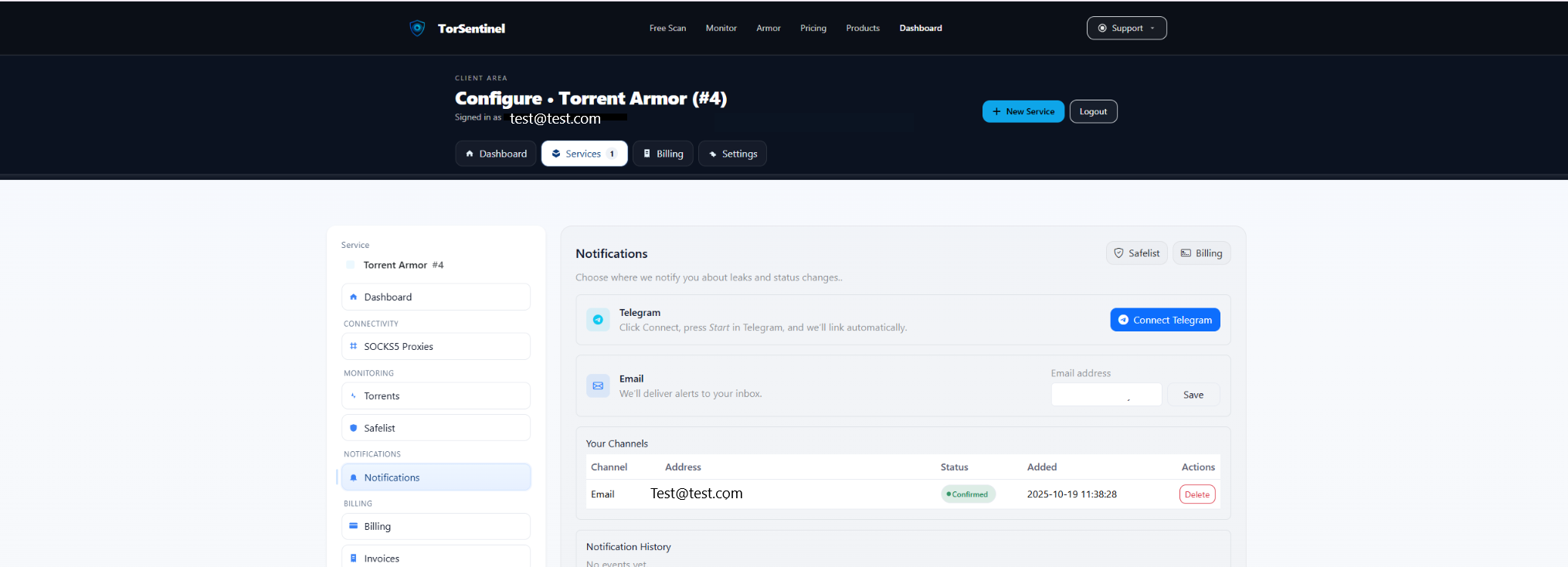
- Add your address and click Save.
- Confirm the verification email.
Telegram
- Click Connect Telegram and press Start in the bot.
7) Verify coverage
- Covered — announce source matches Safelist (home/VPN/seedbox/proxy).
- Uncovered — outside Safelist. Re-check interface binding, VPN/container status, and (if wrapping) disable DHT/PEX/UDP.
FAQ & Troubleshooting
Does Transmission support SOCKS5 natively?
No. Use a VPN/container approach or system wrappers; then Safelist the resulting egress or proxy domain.
UDP trackers don’t show as covered via SOCKS wrapper
Wrappers are TCP-only. Disable UDP trackers/DHT/UTP, or prefer a VPN/container egress.
Switching to Armor later
Armor adds TorSentinel SOCKS5. Transmission can’t use it natively—either switch clients (qBittorrent/Deluge/Vuze) or keep VPN/container with Armor’s Monitor.