
1) Monitor vs Armor
Monitor (this guide)
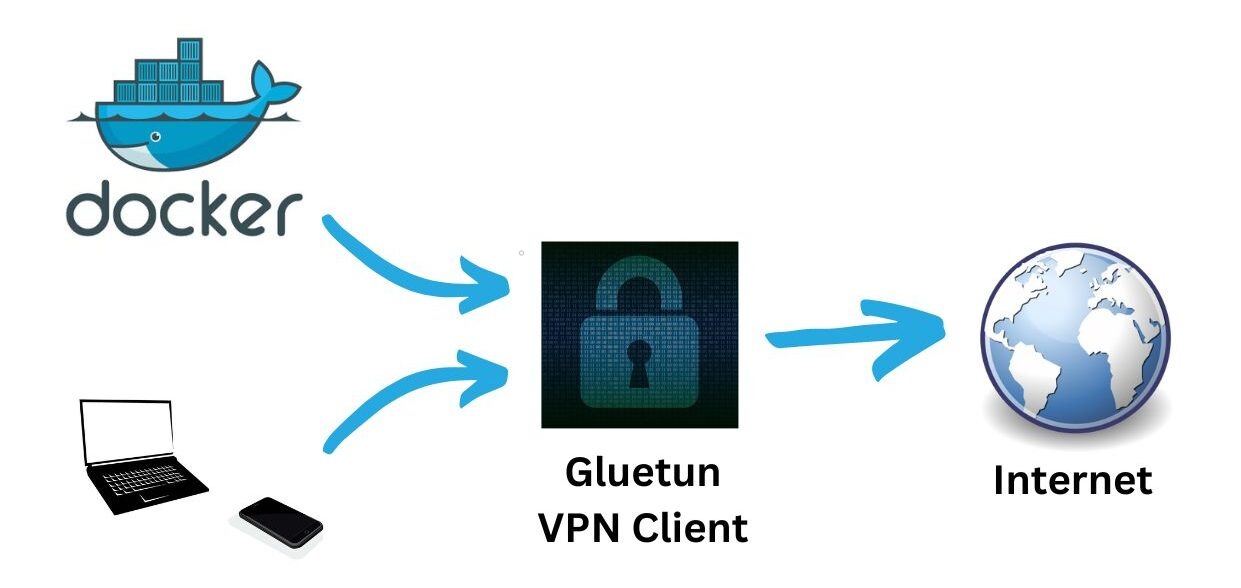
- Realtime watch for announce IP leaks.
- Safelist your VPN/seedbox egress IP, or a third-party SOCKS5 domain/IP.
Armor
- Includes Monitor + TorSentinel SOCKS5.
- With Gluetun, you may still set SOCKS5 in qBittorrent (announces originate from TorSentinel’s proxy over the VPN).
2) Docker Compose (Gluetun + qBittorrent)
services:
gluetun:
image: qmcgaw/gluetun
container_name: gluetun
cap_add: [NET_ADMIN]
environment:
- TZ=UTC
- VPN_SERVICE_PROVIDER=custom
- VPN_TYPE=wireguard
- WIREGUARD_PRIVATE_KEY=<your_private_key>
- WIREGUARD_ADDRESSES=<10.x.x.x/32>
- SERVER_HOSTNAMES=<provider_servername>
volumes:
- ./gluetun:/gluetun
ports:
- "8080:8080"
- "51413:51413"
- "51413:51413/udp"
restart: unless-stopped
qbittorrent:
image: lscr.io/linuxserver/qbittorrent:latest
container_name: qbittorrent
network_mode: "service:gluetun"
depends_on: [gluetun]
environment:
- PUID=1000
- PGID=1000
- TZ=UTC
- WEBUI_PORT=8080
volumes:
- ./qbittorrent/config:/config
- ./qbittorrent/downloads:/downloads
restart: unless-stoppedAlternative: If your provider uses OpenVPN, set OPENVPN_* variables instead of WireGuard.
3) Add your egress to Safelist
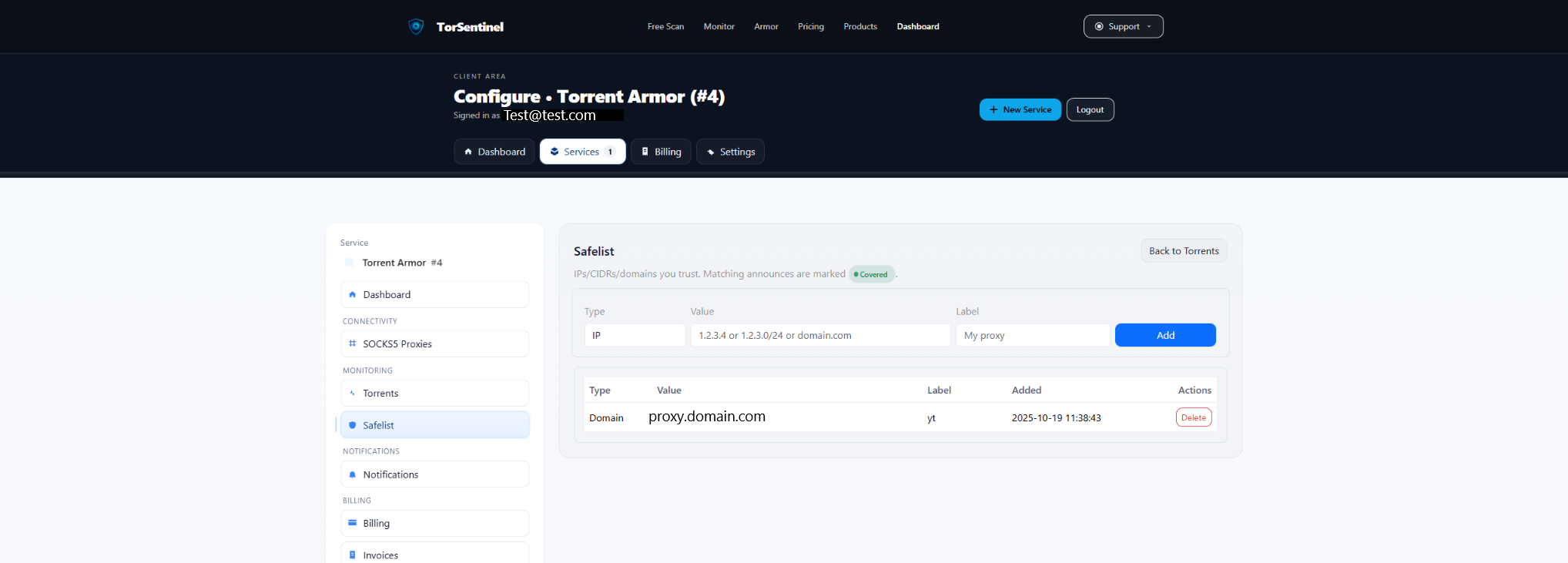
/24.Type: IP or CIDR
Value: 198.51.100.42 # Your VPN egress
or 198.51.100.0/24 # Egress range
Label: Gluetun egress4) Optional: use a third-party SOCKS5 with Monitor
qBittorrent can use any third-party SOCKS5. Configure it in the Web UI (Trackers required; Peers optional). Then add that proxy’s domain/IP to Safelist so announces appear Covered.
Proxy Type: SOCKS5
Apply To: Trackers (required), Peers (optional)
Host/Port: proxy.example.com : 1080
Auth: As provided by your provider
Option: Use proxy for hostname lookups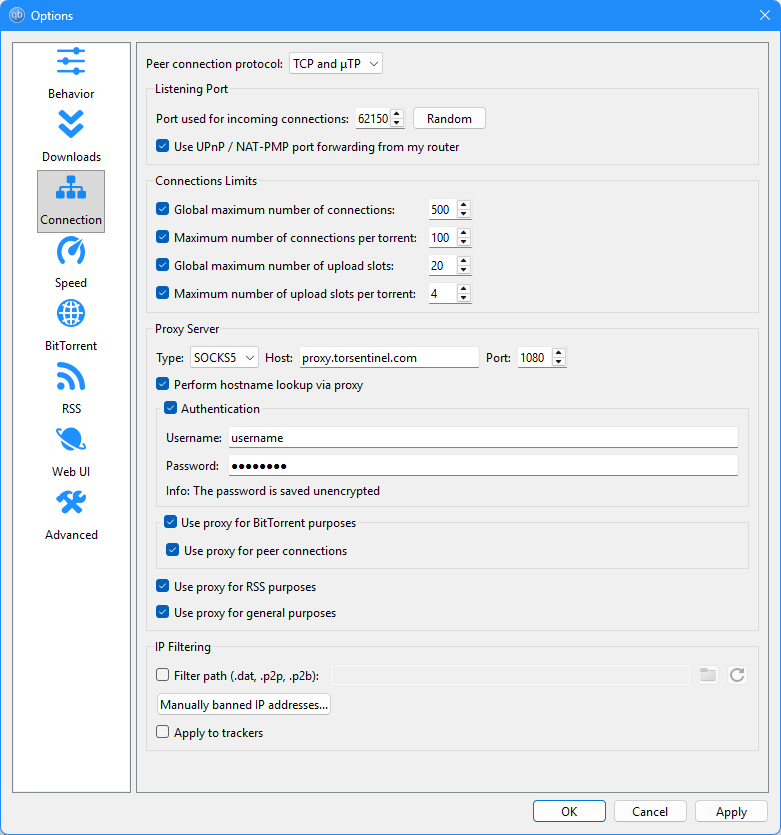
Reminder: If you switch between VPN-only and SOCKS5, Safelist both the VPN egress and the proxy domain.
5) qBittorrent checks
1
Confirm Web UI is reachable on
http://HOST:8080.2
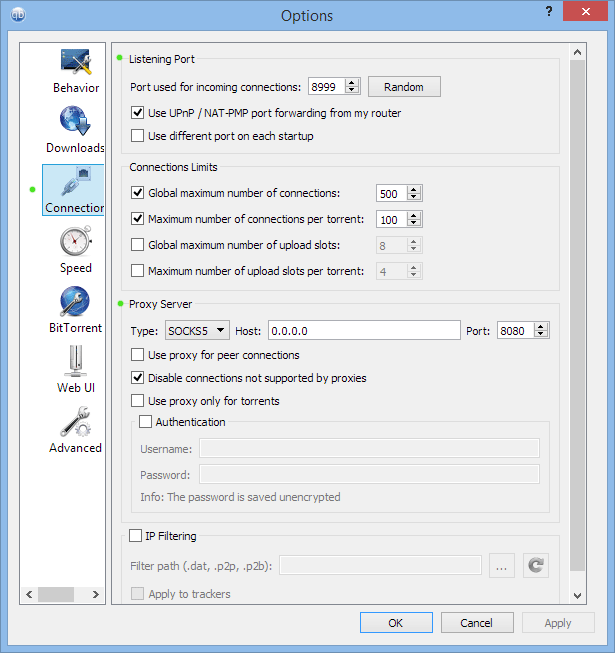
Under Connection, ensure the listening port is open (Gluetun exposes
51413 TCP/UDP).3
If using SOCKS5, ensure Use proxy for trackers is enabled and hostname lookups go via proxy.
6) Start the Test Torrent
Open Services → Torrents, copy the Test Torrent magnet into qBittorrent, and wait ~1–3 minutes for an announce.
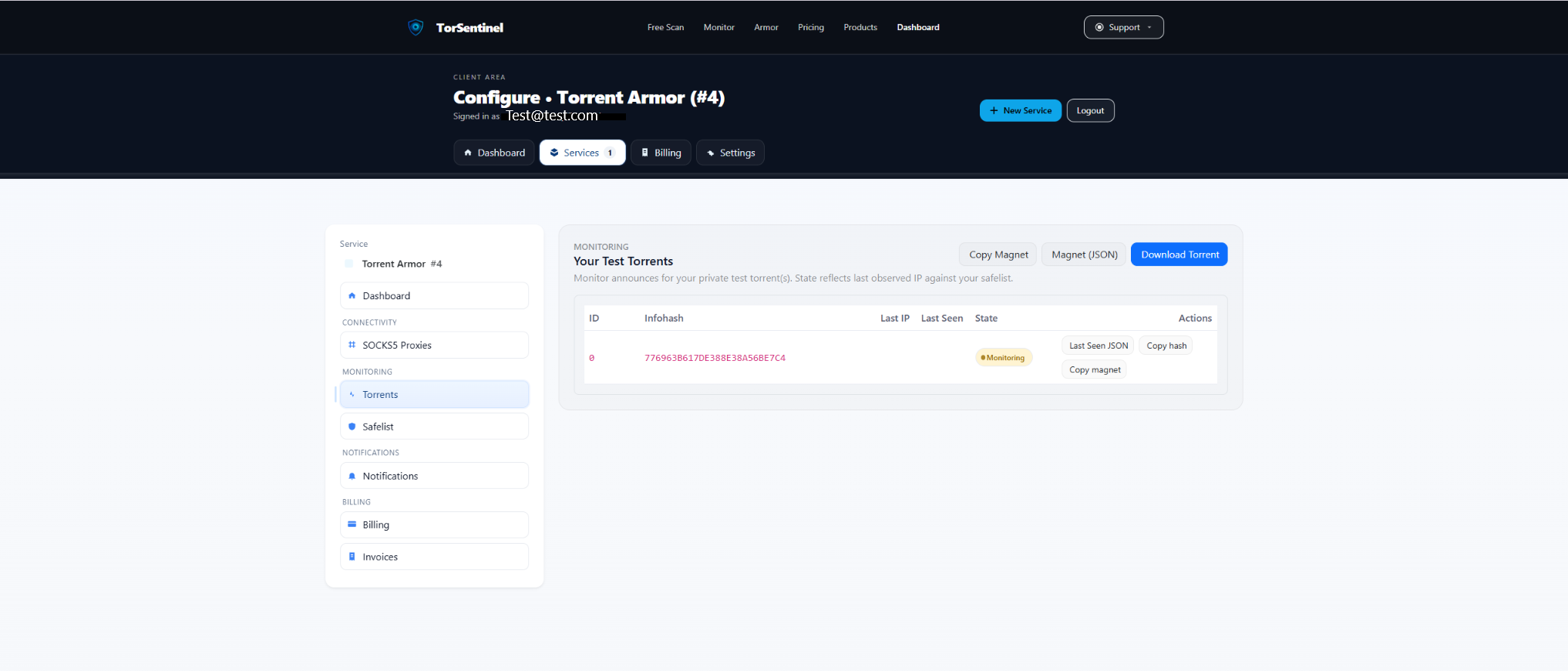
- Confirm the torrent is added (not paused).
- Check dashboard shows recent Last Seen and Monitoring state.
7) Alerts
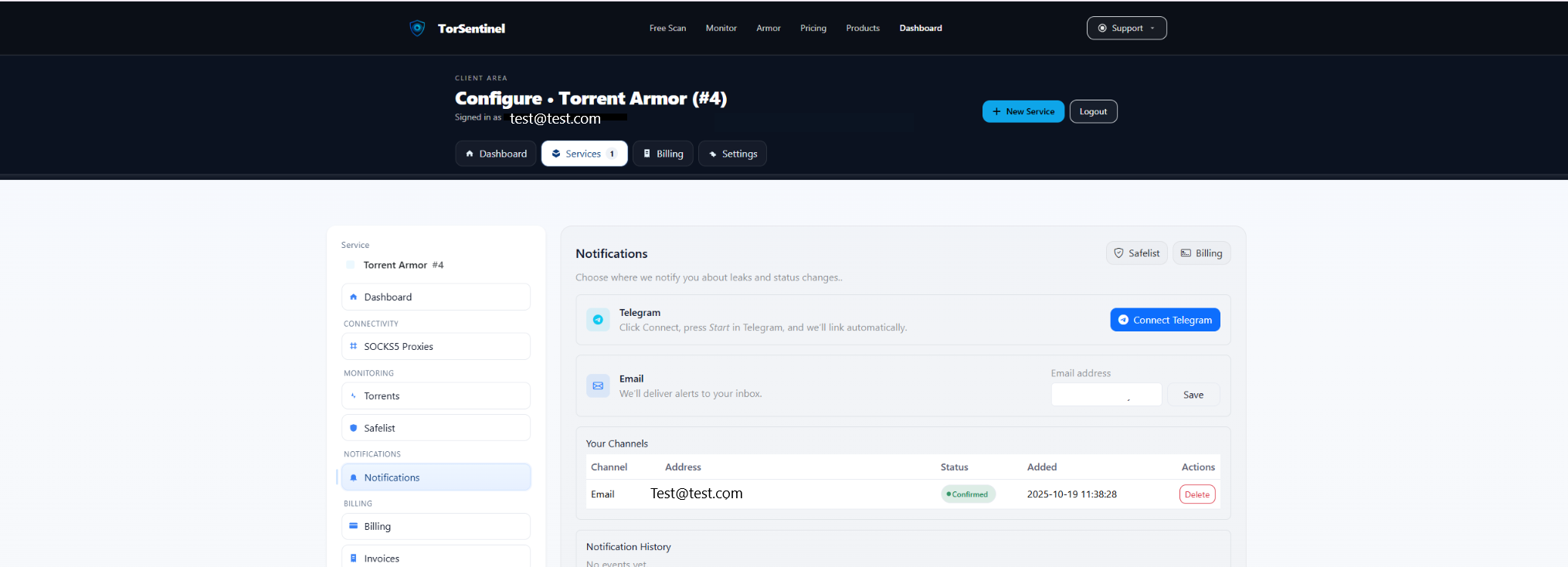
- Email: add & confirm.
- Telegram: connect and tap Start.
8) Verify coverage
- Covered — announce source matches Safelist (VPN egress or proxy domain/IP).
- Uncovered — outside Safelist; re-check Gluetun status, SOCKS5 settings, or your egress IP/range.
FAQ & Troubleshooting
Armor vs Monitor with Gluetun?
Monitor uses your VPN egress. Armor adds TorSentinel SOCKS5, which you can set in qBittorrent even behind Gluetun.
My provider rotates egress IPs
Safelist a /24 range or use a proxy domain entry.
Web UI not reachable
Ensure you published 8080 on the gluetun service and that qBittorrent shares its network namespace.