
Split Tunneling Explained:
Routing Patterns, Risks, and Guardrails
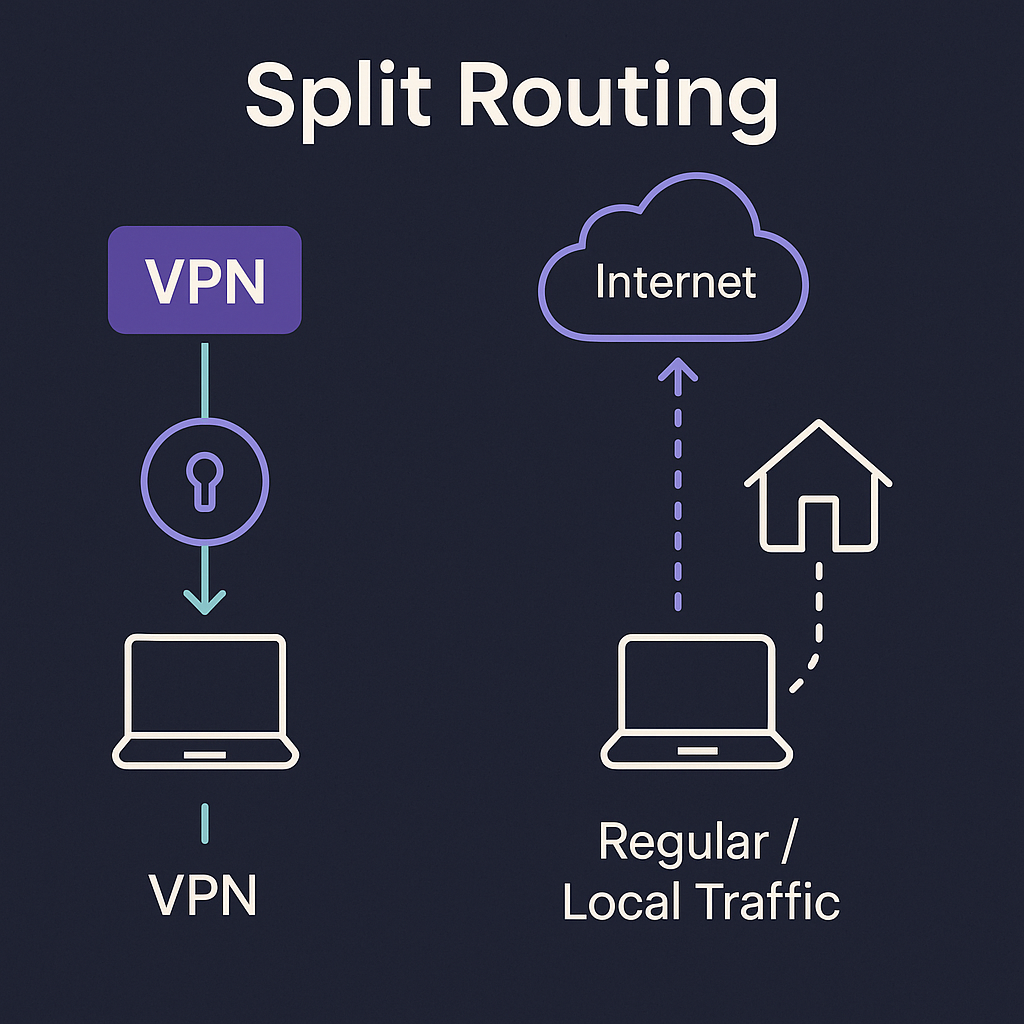
Split tunneling lets you choose which apps or destinations use a VPN tunnel and which do not. Done well, it reduces latency and avoids overloading a single encrypted pipe. Done poorly, it creates side channels that quietly weaken privacy. This guide explains practical routing patterns, risks, and the guardrails that keep things simple.

? What split tunneling is
Instead of forcing all traffic through a VPN adapter, split tunneling allows a subset to bypass the tunnel. Policies can be per app, per destination, or per subnet. The usual goals are lower latency for real-time traffic and reduced load on the encrypted link.
✓ When it makes sense
✕ When it's a bad fit
🔀 Common routing patterns
⚠ Risk scenarios and guardrails
| Scenario | Why it happens | Guardrail |
|---|---|---|
| App starts before tunnel | Race condition at boot or resume from sleep | Delay start until adapter up; firewall deny outside tunnel |
| Mixed DNS path | System resolver flips or DNS is included in the split | Pin resolver; route DNS consistently with traffic path |
| Local services unreachable | All traffic forced into tunnel including LAN | Add explicit LAN subnets to the direct list |
| Unexpected IPv6 route | IPv6 policy differs from IPv4 tunnel scope | Set explicit IPv6 stance per app or per OS — never leave mixed |
⚖ Speed vs privacy: finding the balance

⚙ Implementation tips
📋 Policy checklist
FAQ Frequently asked questions
Does split tunneling always reduce privacy?
Is per-app split safer than destination split?
What should I test after enabling a split?
Free torrent IP check — no signup
See exactly which IP the swarm detects from your client. The fastest way to confirm your split config is routing torrent traffic correctly.