
How to Set Up qBittorrent with a SOCKS5 Proxy
Anonymous Torrenting Guide
When you torrent without protection, your real IP address is visible to every peer in the swarm, your ISP, and copyright monitoring agencies. Setting up a SOCKS5 proxy in qBittorrent routes your torrent traffic through an intermediate server — the swarm sees the proxy IP, not yours. This guide walks through the full setup and shows you how to verify it actually works.

- ✓ qBittorrent installed (any recent version)
- ✓ A SOCKS5 proxy with username/password auth — this guide uses TorSentinel Armor
- ✓ About 5 minutes
? Why SOCKS5 and not a VPN for torrenting?
A VPN tunnels all your device traffic, which adds overhead and often reduces speeds. SOCKS5 works at the application level — only qBittorrent's traffic goes through the proxy while your browser and other apps are completely unaffected. For torrenting specifically, SOCKS5 delivers faster speeds with the same IP protection. The key requirement is that your torrent client supports SOCKS5 with authentication, which qBittorrent does natively.
Open qBittorrent proxy settings
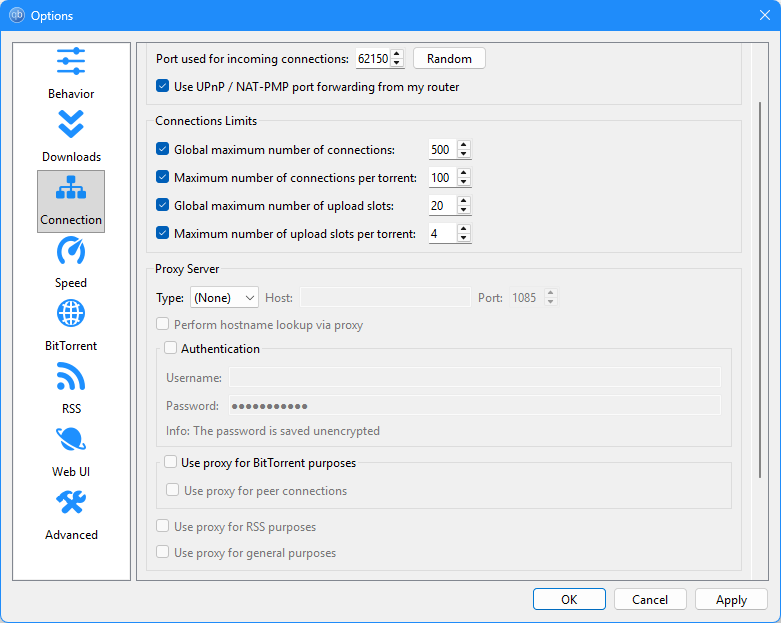
Open qBittorrent and go to Tools → Options → Connection. Scroll down until you see the Proxy Server section. By default it shows Type: None with all fields empty.
Enter your SOCKS5 details
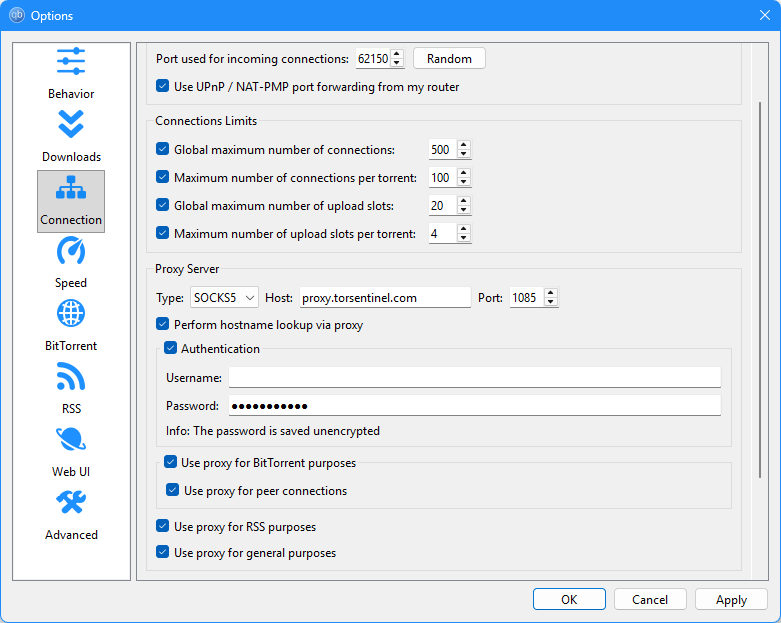
Set the following values in the Proxy Server section:
Check Perform hostname lookup via proxy, enable Authentication, then check all four proxy usage options: Use proxy for BitTorrent purposes, Use proxy for peer connections, Use proxy for RSS purposes, and Use proxy for general purposes. Click Apply → OK.
Disable leak sources
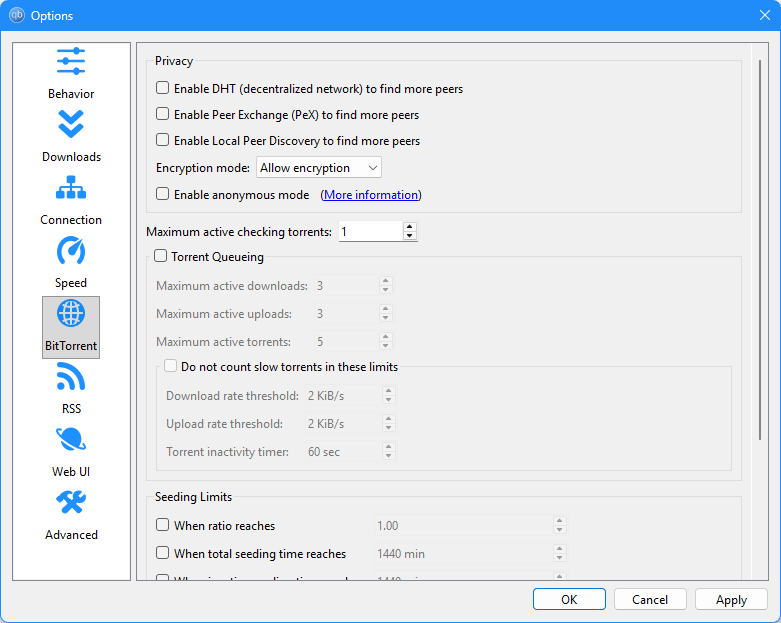
Go to Tools → Options → BitTorrent and uncheck all three Privacy options:
Verify with the free IP leak test
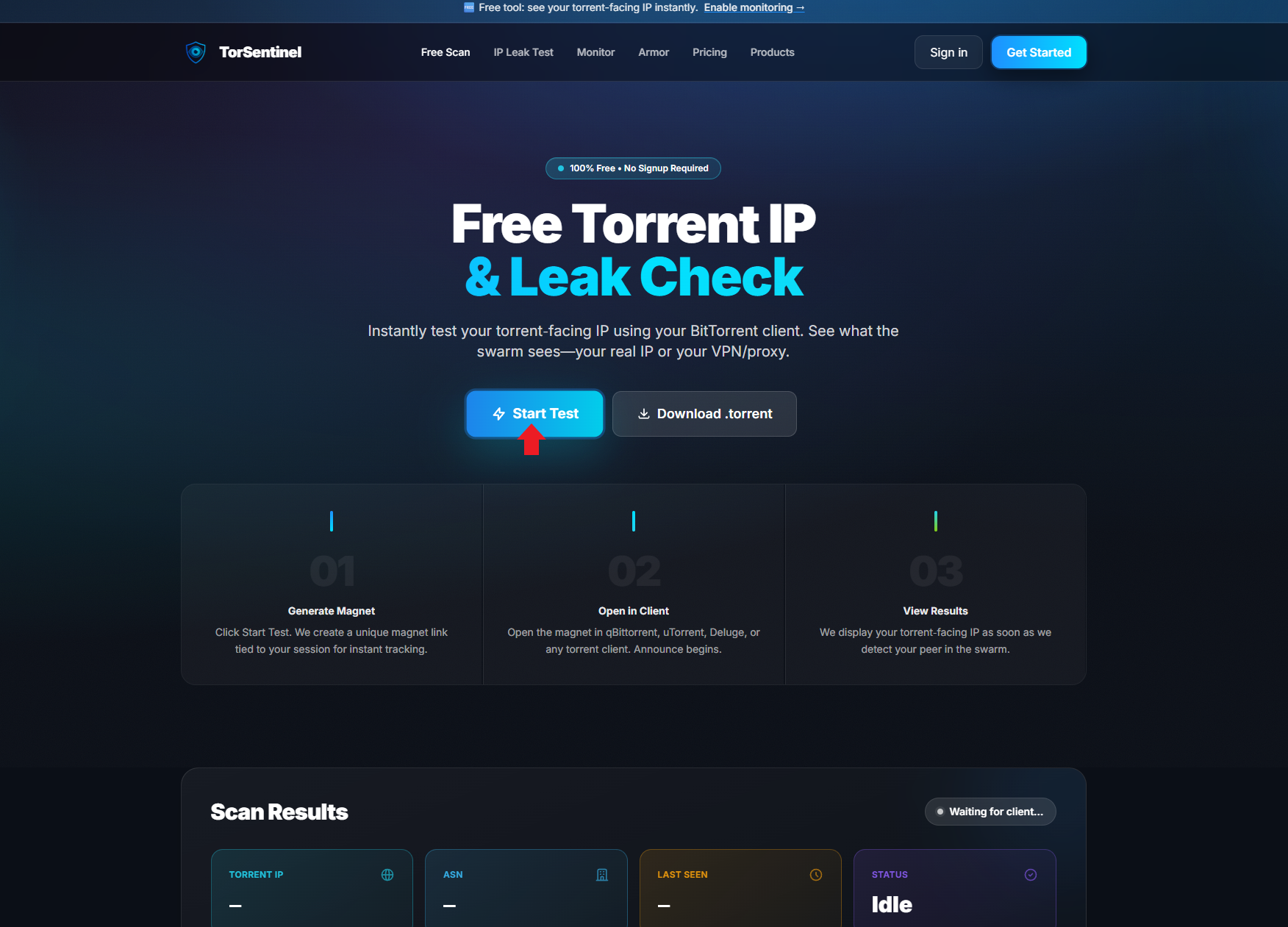
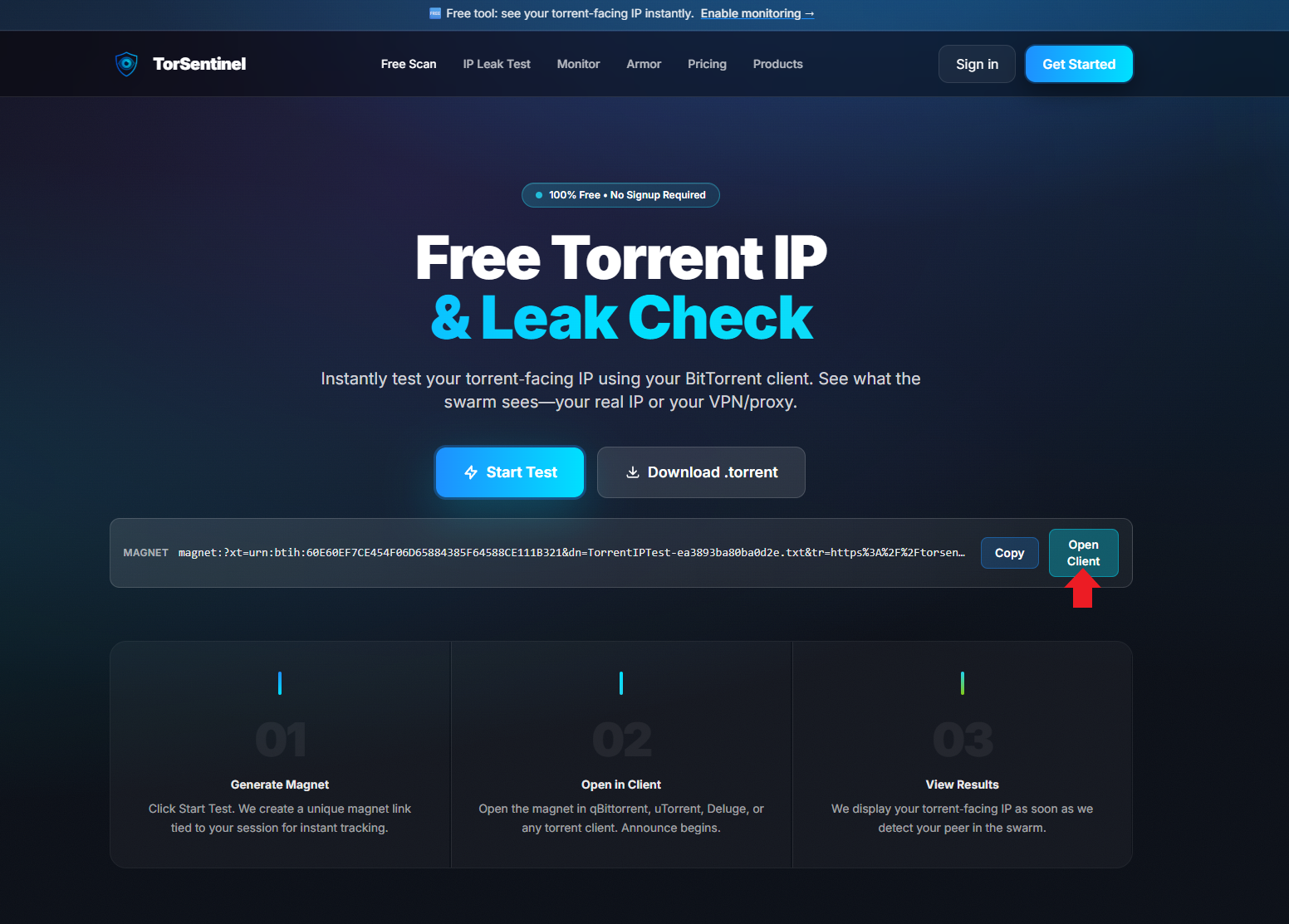
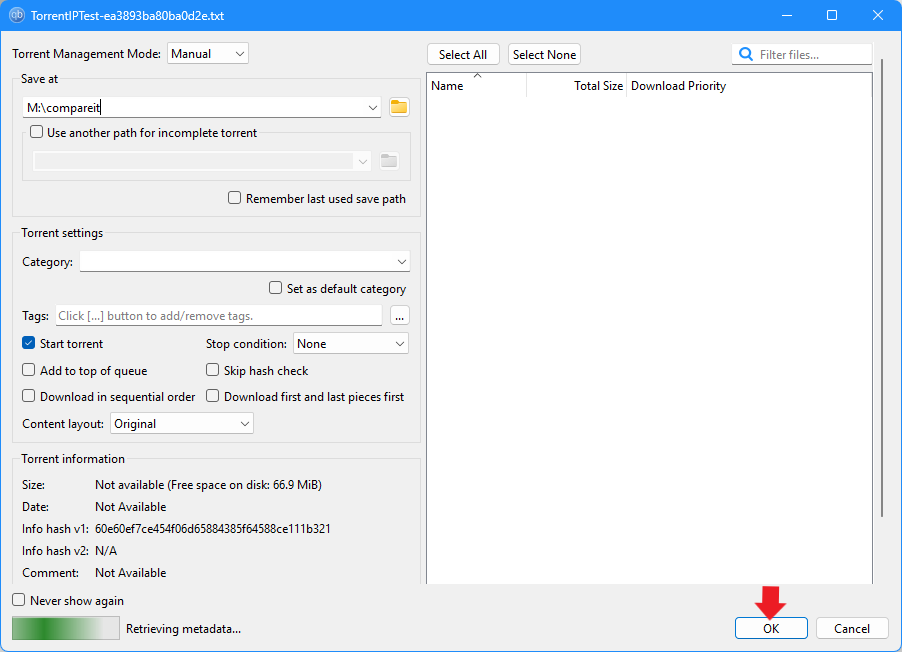
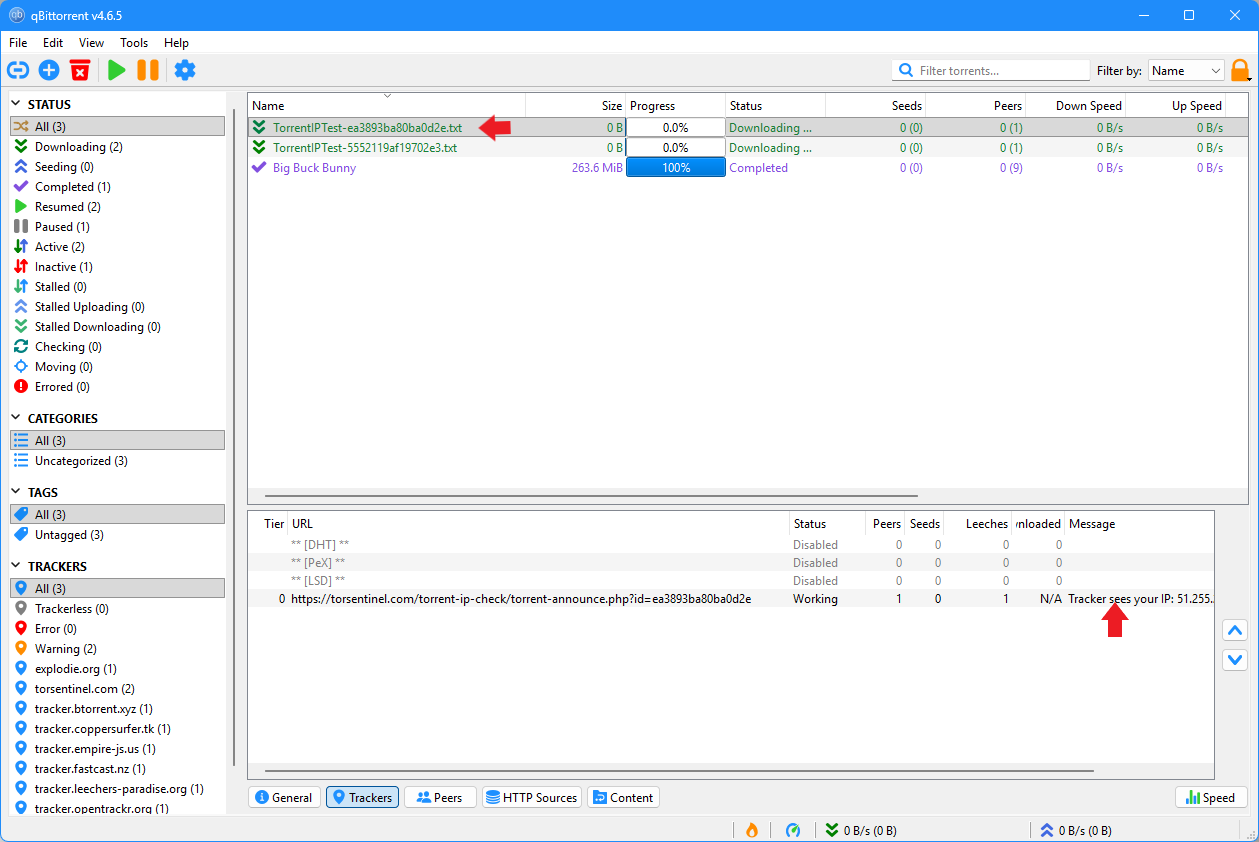
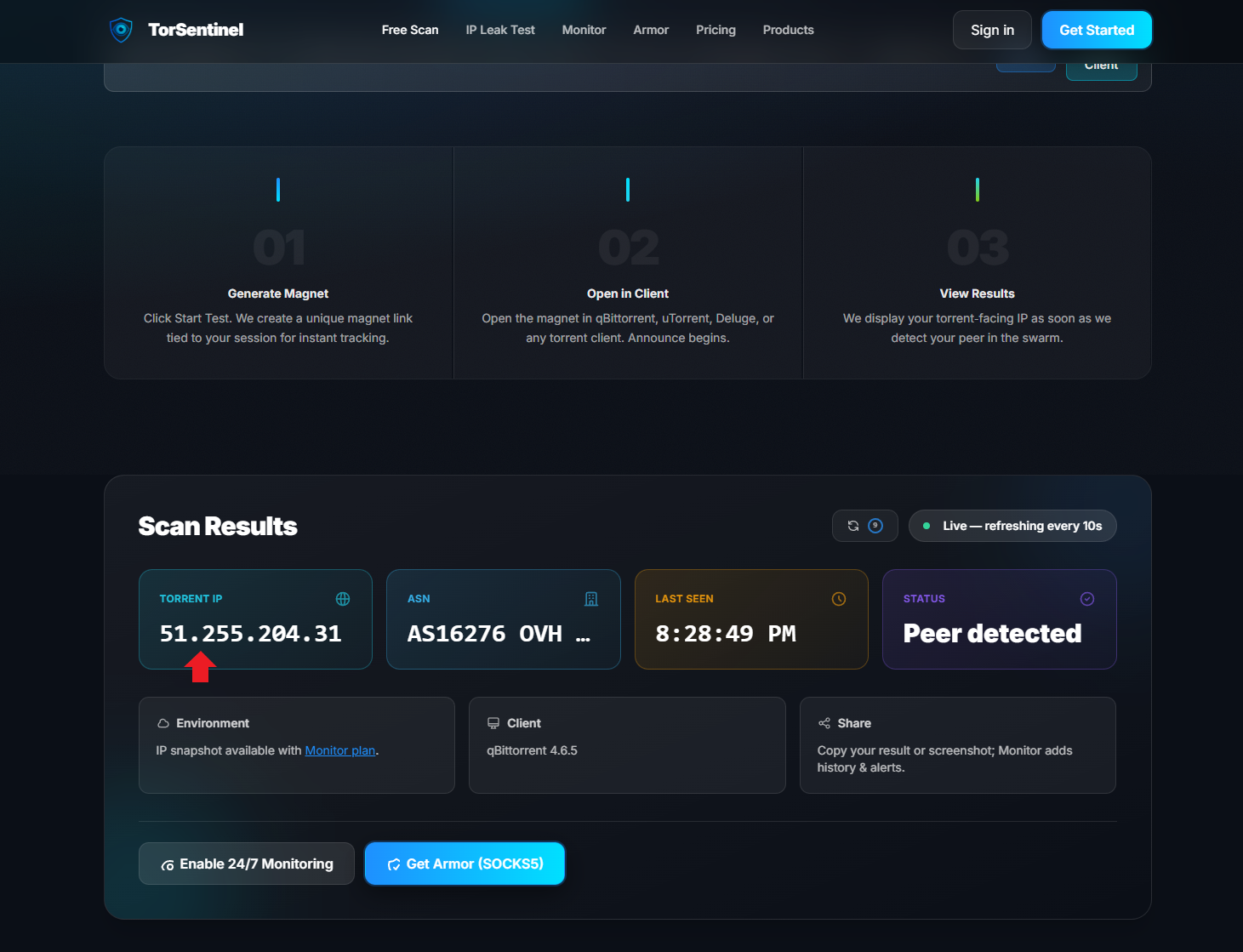
Before downloading anything real, confirm your setup is working. TorSentinel's free torrent IP check shows exactly what IP the swarm sees when your client announces — no signup required.
Optional: Enable 24/7 monitoring
The free tool gives you a one-time snapshot. TorSentinel Monitor watches your announces continuously and sends instant email or Telegram alerts if your torrent IP ever changes or leaks. The Armor plan includes both the SOCKS5 proxy and live monitoring together.
Common problems and fixes
qBittorrent won't connect with SOCKS5 enabled
Speeds are slow through the proxy
IP check shows my real IP
Tracker shows Error instead of Working
Start your 7-day free trial
Get SOCKS5 Armor + 24/7 leak monitoring. Cancel anytime. No risk.